
DeepChat - 全功能AI Agent客户端
DeepChat 教程 — 将全功能AI Agent客户端对接 Go2AIs,并通过 DeepLink 一键导入 DeepChat 配置。
```json
{ "DeepChat": "deepchat://provider/install?v=1&data={deepchatConfig}" }
```- 官网地址:https://deepchat.thinkinai.xyz
- GitHub 仓库:https://github.com/ThinkInAIXYZ/deepchat
- 下载地址:https://deepchat.thinkinai.xyz/#/download
Go2AIs 接入方法
方式一:一键导入
-
在 Go2AIs 控制台侧边栏进入「令牌管理」,找到需要使用的令牌
-
在令牌操作中选择 DeepChat
-
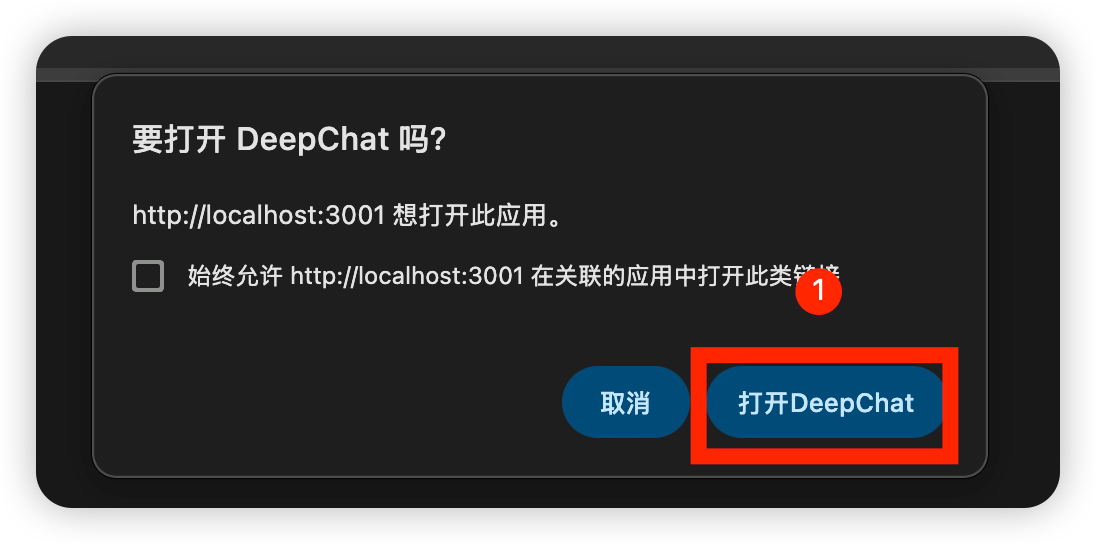
浏览器唤起 DeepChat,确认打开应用
-
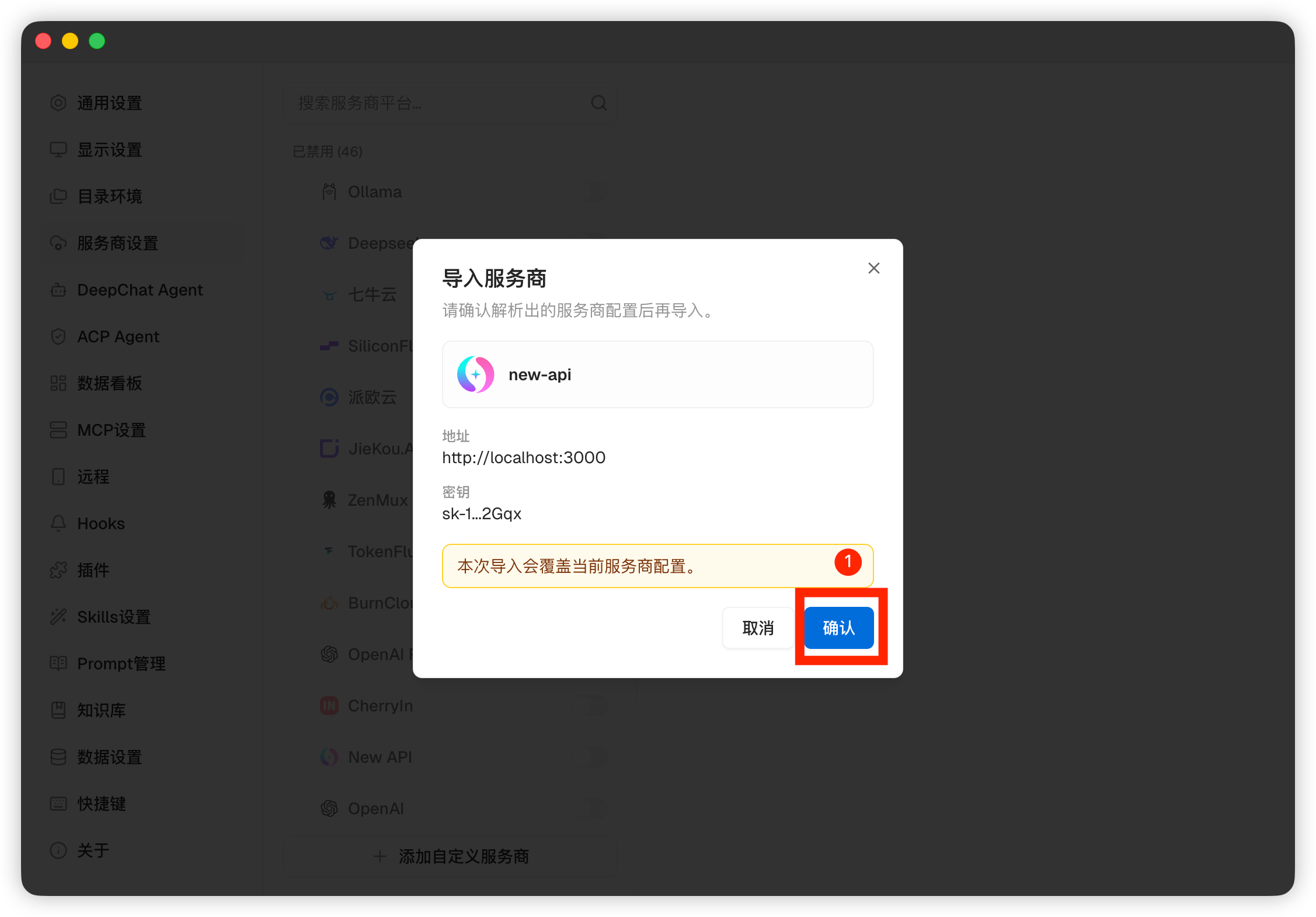
在 DeepChat 的 Provider 导入预览中确认配置
-
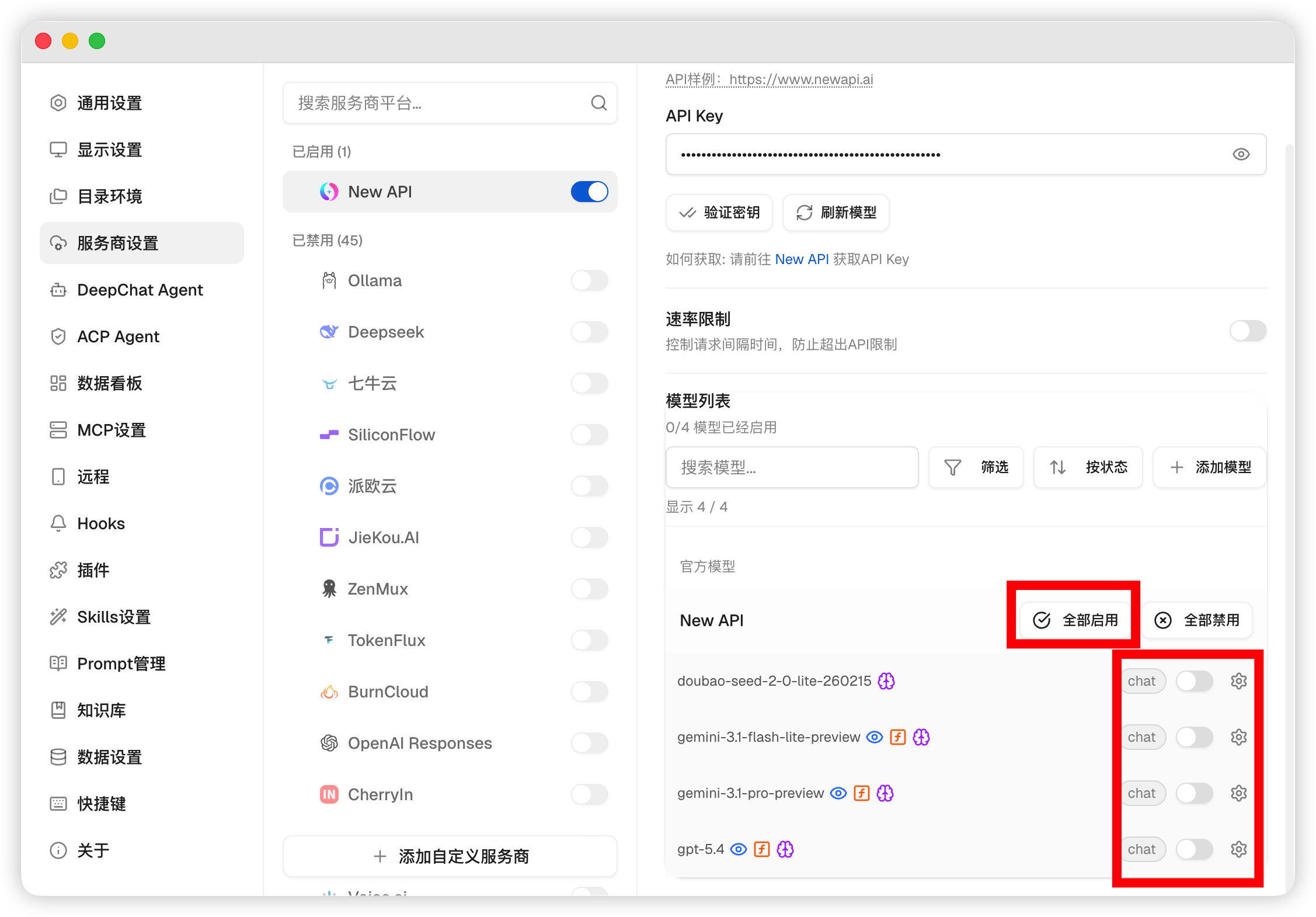
打开模型列表,选择 Go2AIs 模型开始使用
方式二:手动导入
-
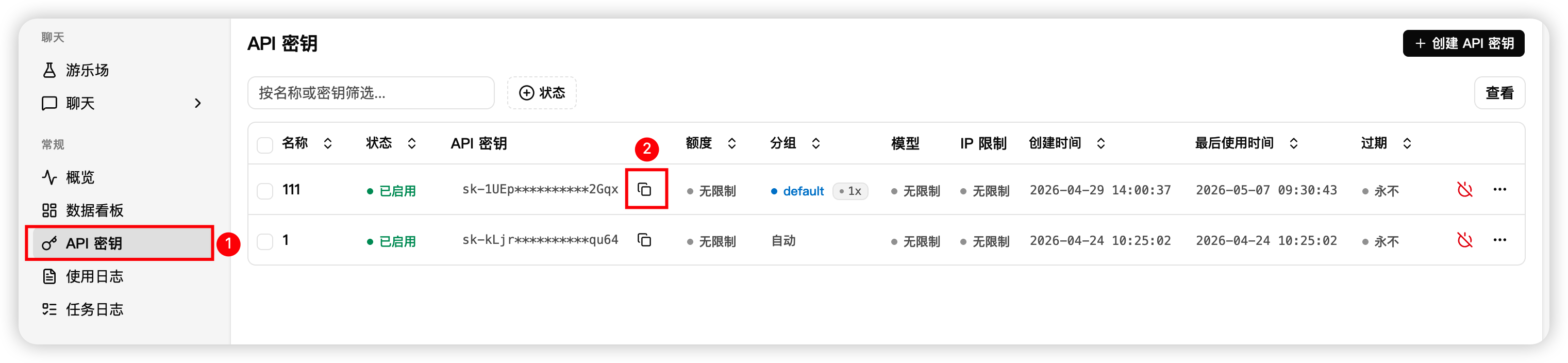
在 Go2AIs 控制台复制 API Key 和站点地址
-
在 DeepChat 设置中添加或编辑 Go2AIs Provider,填写 API 地址和 API Key
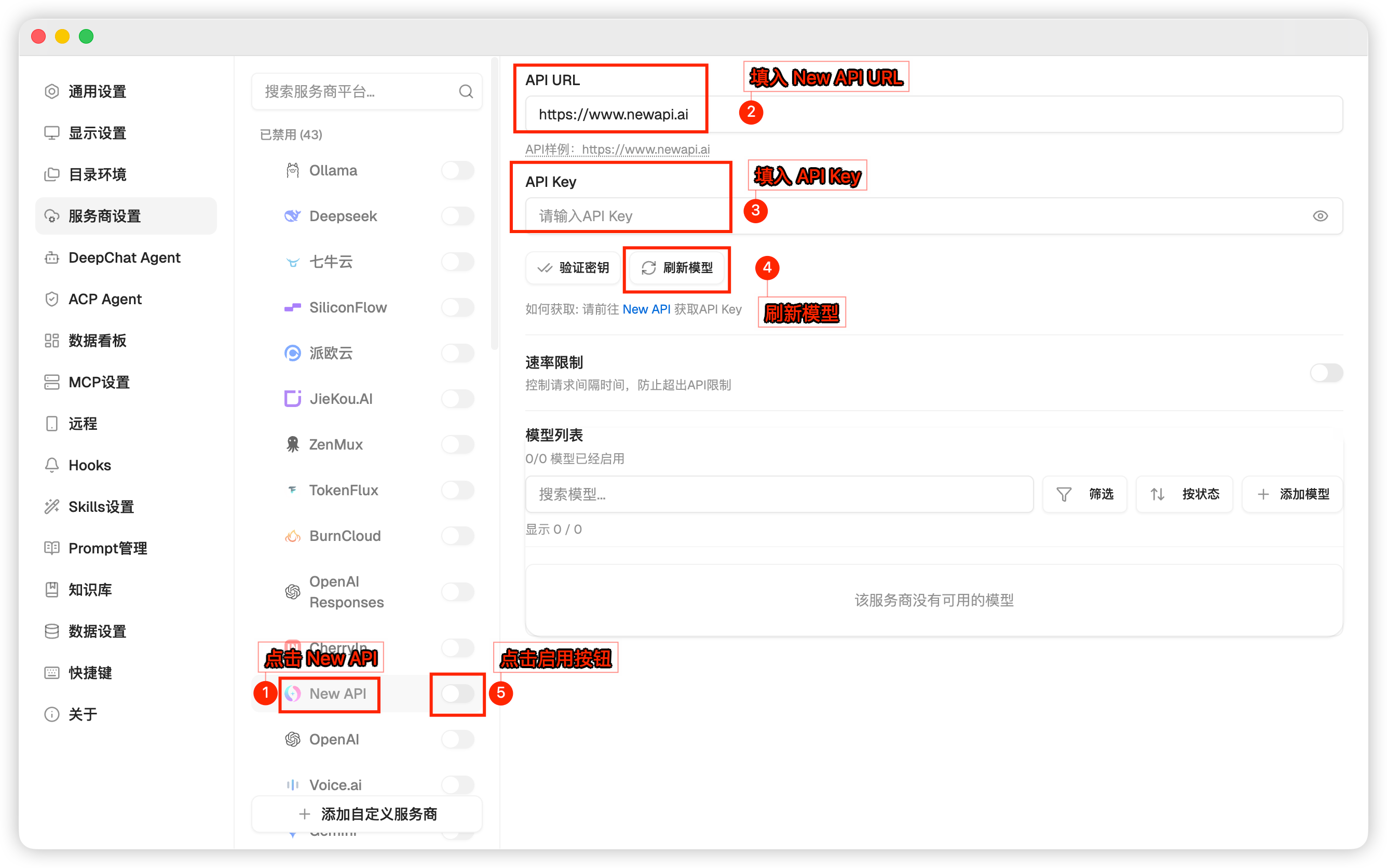
-
打开模型列表,选择 Go2AIs 模型开始使用